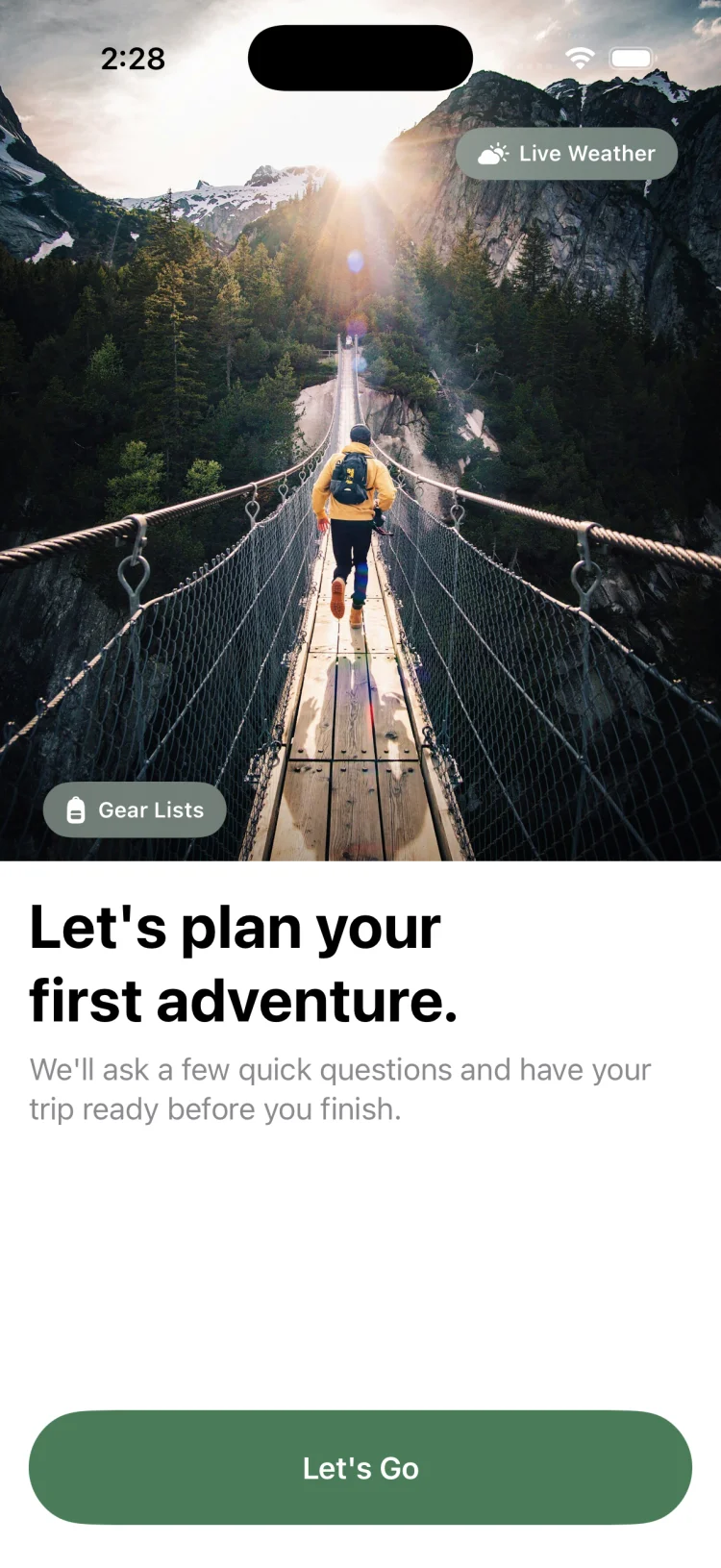
Trip HQ for the Outdoors

Plan the whole trip.
Not just the trail.

GoVenture is the trip planner app for backpacking, camping and group adventures. Build your routes, download offline maps, lay out a day-by-day itinerary, track pack weight, and split the gear list across your crew — all on one trip, all on your iPhone.

  • Works with no signal
  • Built for group trips
  • No ads, no feed
GoVenture trip dashboard for a summer camping trip with maps, itinerary, gear and group shortcuts plus a seven day weather forecast

The problem

A trip lives in six apps. Until something goes wrong.

The route is in a maps app. The itinerary is in Notes. The packing list is a screenshot. Who is bringing the stove is somewhere in a group chat from three weeks ago. The permit is in an email. Nobody at home knows when you are expected back.

GoVenture puts all of it on one trip. Routes, waypoints, offline maps, itinerary, gear, weight, group assignments and your trip plan — one place, on your phone, working whether or not you have a signal.

17

Trip types supported

20

Recordable activities

11

Gear categories

0

Bars of service needed

Download

Get GoVenture free on iPhone and iPad.

Plan as many trips as you like — itineraries, waypoints, gear checklists and group planning are all free, with no ads. Upgrade to Pro for route drawing, unlimited gear lists, offline maps and extra map styles.

Download on the App Store

Free to download
Requires iOS 18 or later

How it works

From idea to trailhead in four steps.

GoVenture follows the way trips actually get planned — decide, map, pack, go.

  1. 01

    Create the trip

    Pick from 17 trip types — backpacking, car camping, climbing, kayaking, overlanding and more — set your dates and destination. GoVenture loads a starter gear template matched to that activity so you are not staring at an empty list.

  2. 02

    Map the route

    Draw a route by tapping the map, import a GPX file, or bring in a hike you already recorded on Apple Watch. Drop waypoints for campsites, water sources, parking and hazards, and check the forecast at the trailhead.

  3. 03

    Pack and assign

    Build the gear list from your inventory or a saved Quick Kit. Weights total automatically into base, consumable and total pack weight. Invite your group and assign who carries what so nothing gets duplicated or forgotten.

  4. 04

    Go — signal or not

    Download the map area before you leave and everything works offline. Record the hike as you walk it, follow your planned route, and leave a trip plan with an emergency contact at home.

Features

Everything an adventure actually needs.

Trip planner

One trip. Every moving part.

  • 17 trip types from day hikes to multi-day overlanding, each with a matched starter gear template
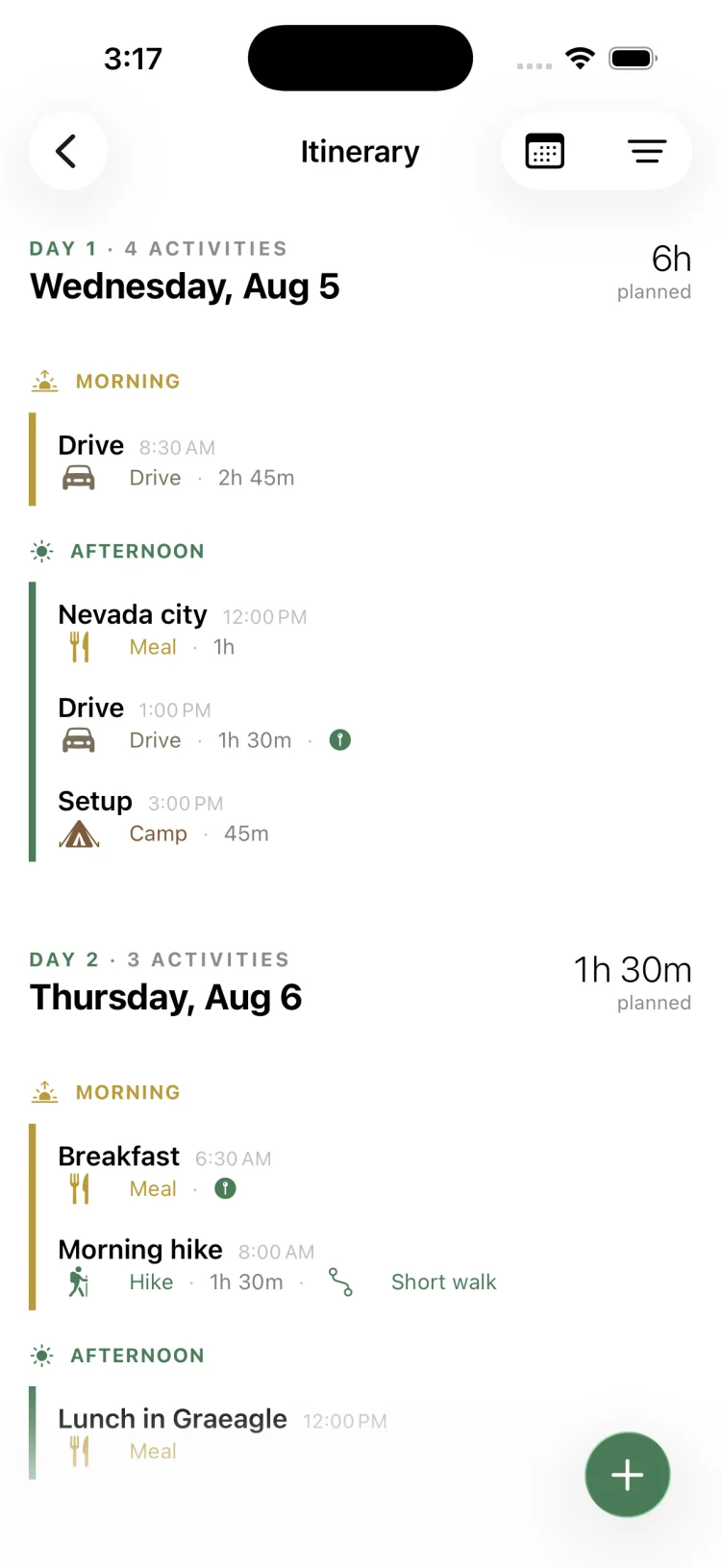
  • Day-by-day itinerary with activities, start times and durations, grouped into morning, afternoon, evening and night
  • Link any itinerary activity to a route or waypoint so the plan and the map stay connected
  • Permits, trailheads and trip notes stored on the trip instead of buried in email
  • Trailhead weather forecasts powered by Apple WeatherKit
How to plan a multi-day itinerary
GoVenture itinerary planner with day one and day two activities including drive times, meals, camp setup and a morning hike

Routes & maps

Outdoor maps that work where you do.

  • Build routes four ways — tap to draw on the map, record by GPS, import a GPX file, or pull in an Apple Health workout
  • Terrain, outdoors, satellite and standard map styles with distance, elevation gain and estimated duration on every route
  • Waypoints for campsites, water, hazards, summits, viewpoints, parking and trailheads
  • Download offline map regions for the trip area before you lose signal
  • Routes save to the trip or to a personal library you can reuse next season
How to get offline maps for hiking
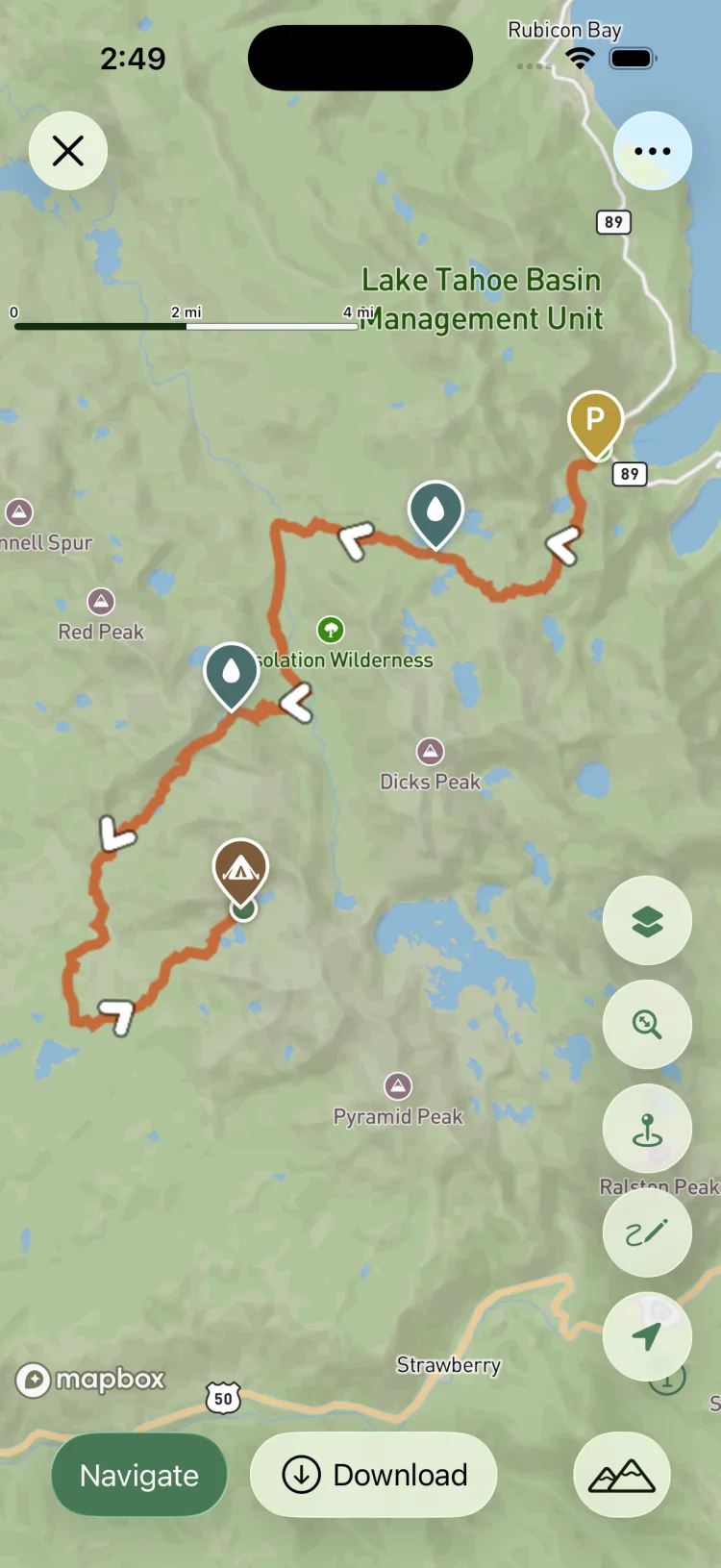
GoVenture topographic trail map showing a planned hiking route through Desolation Wilderness with campsite, water source and parking waypoints

Gear & pack weight

Know what it weighs before you carry it.

  • A permanent gear inventory across 11 categories — shelter, sleep, clothing, navigation, food, water, safety, tools, hygiene, electronics and other
  • Base weight, consumable weight and total pack weight calculated as you add items
  • Mark items as worn so they do not inflate your base weight
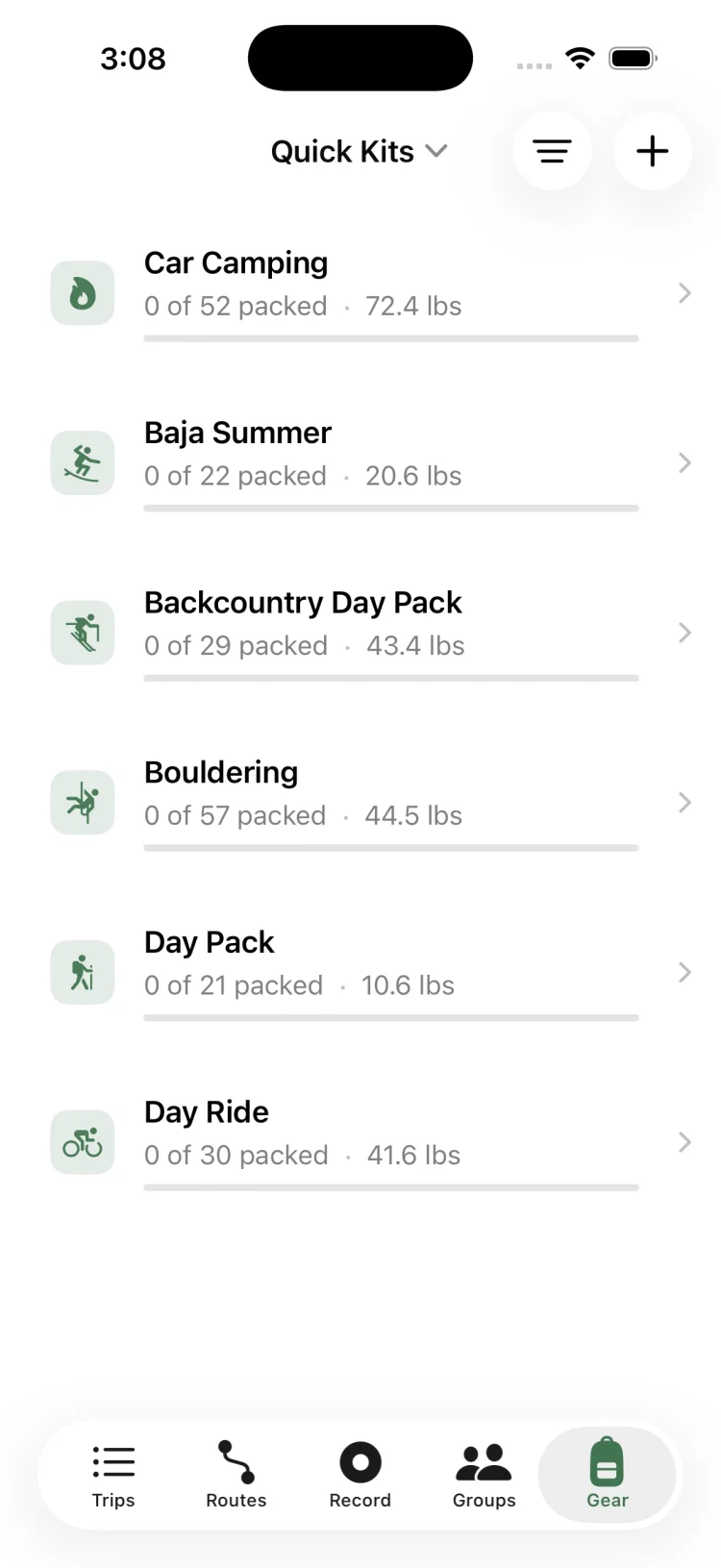
  • Quick Kits — reusable checklists like Day Pack, Car Camping or Backcountry Day Pack you can drop into any trip
  • After the trip, mark what you actually used so next time's list gets lighter
How to calculate base weight
GoVenture Quick Kits list showing Car Camping, Backcountry Day Pack, Bouldering and Day Ride kits with packed counts and total weight

Group trips

Nobody brings three stoves.

  • Share a trip with your group by link and assign every gear item to a specific person
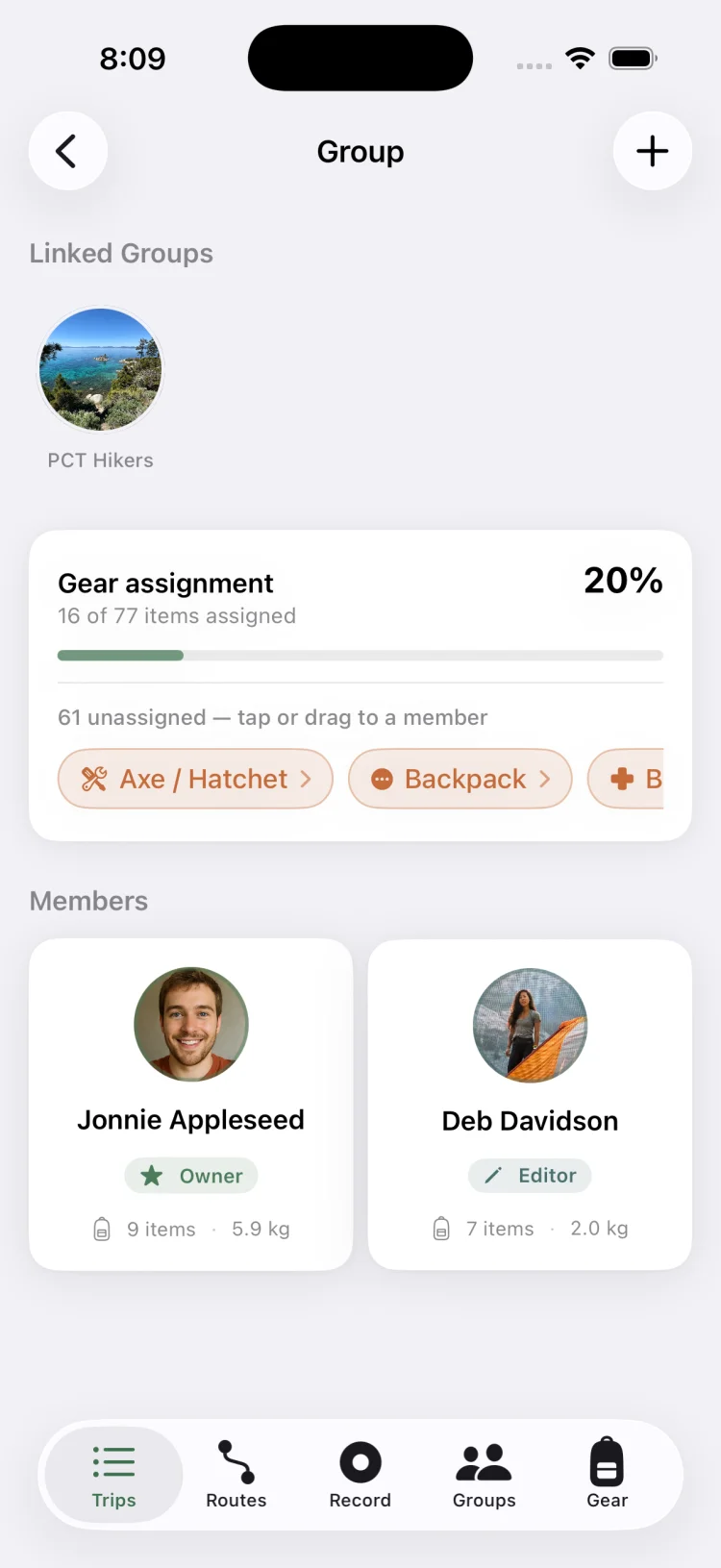
  • Live progress — see exactly how much of the group's gear is claimed and who still has gaps
  • Per-person pack weight so the load is actually fair, not just assumed to be
  • Granular permissions per section — media, routes, itinerary, members and gear — so co-planners can edit without anyone wrecking the plan
  • Save adventure groups and reuse them for the next trip
How to plan a group camping trip
GoVenture group screen showing gear assignment progress at twenty percent with unassigned items and two trip members with their carried weight

Record & safety

Get out, and get back.

  • One-tap GPS recording with live distance, time and elevation gain, plus a signal-strength indicator
  • Follow a planned route as a guide and get alerted if you drift off it
  • Write hikes to Apple Health, or import workouts you already recorded on Apple Watch
  • Trip plans with emergency contact, vehicle and parking details, and expected return time to leave with someone at home
  • Auto-save checkpoints so a crash or dead battery never costs you the whole track
How to leave a hiking trip plan
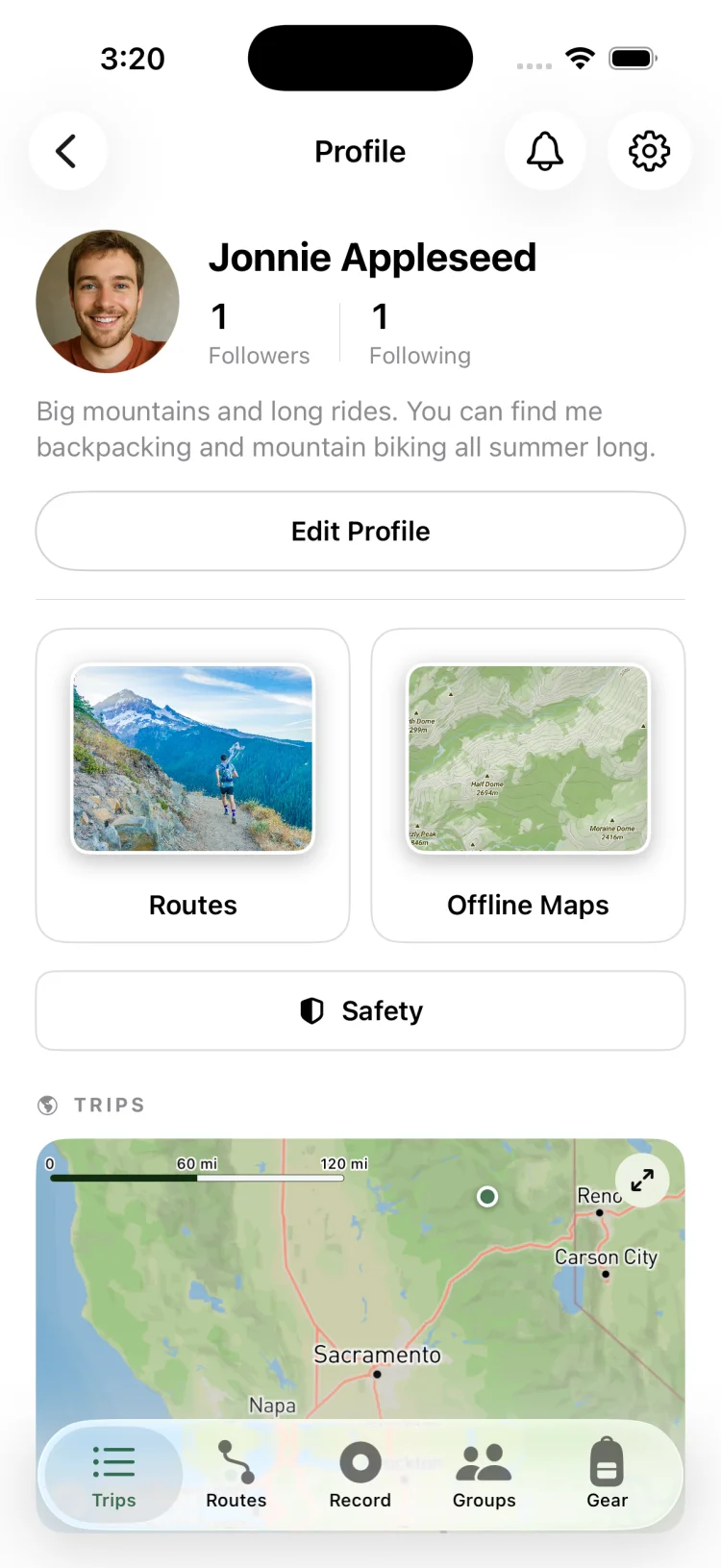
GoVenture profile screen with saved routes, offline maps and safety shortcuts plus a map of past trips

Screenshots

A look inside the app.

The screens you will actually live in on a trip.

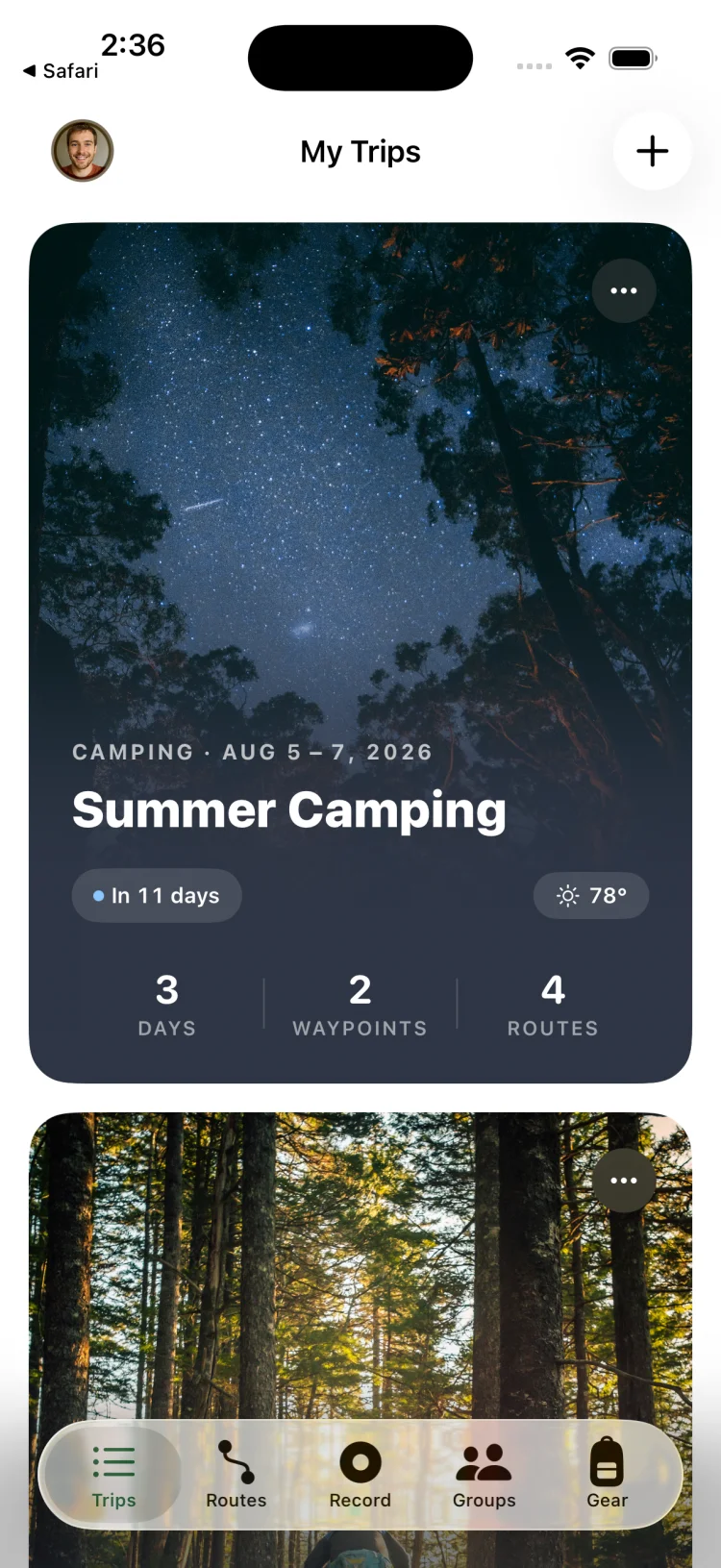
GoVenture My Trips screen showing an upcoming summer camping trip with countdown, temperature, days, waypoints and route counts
Your trips at a glance
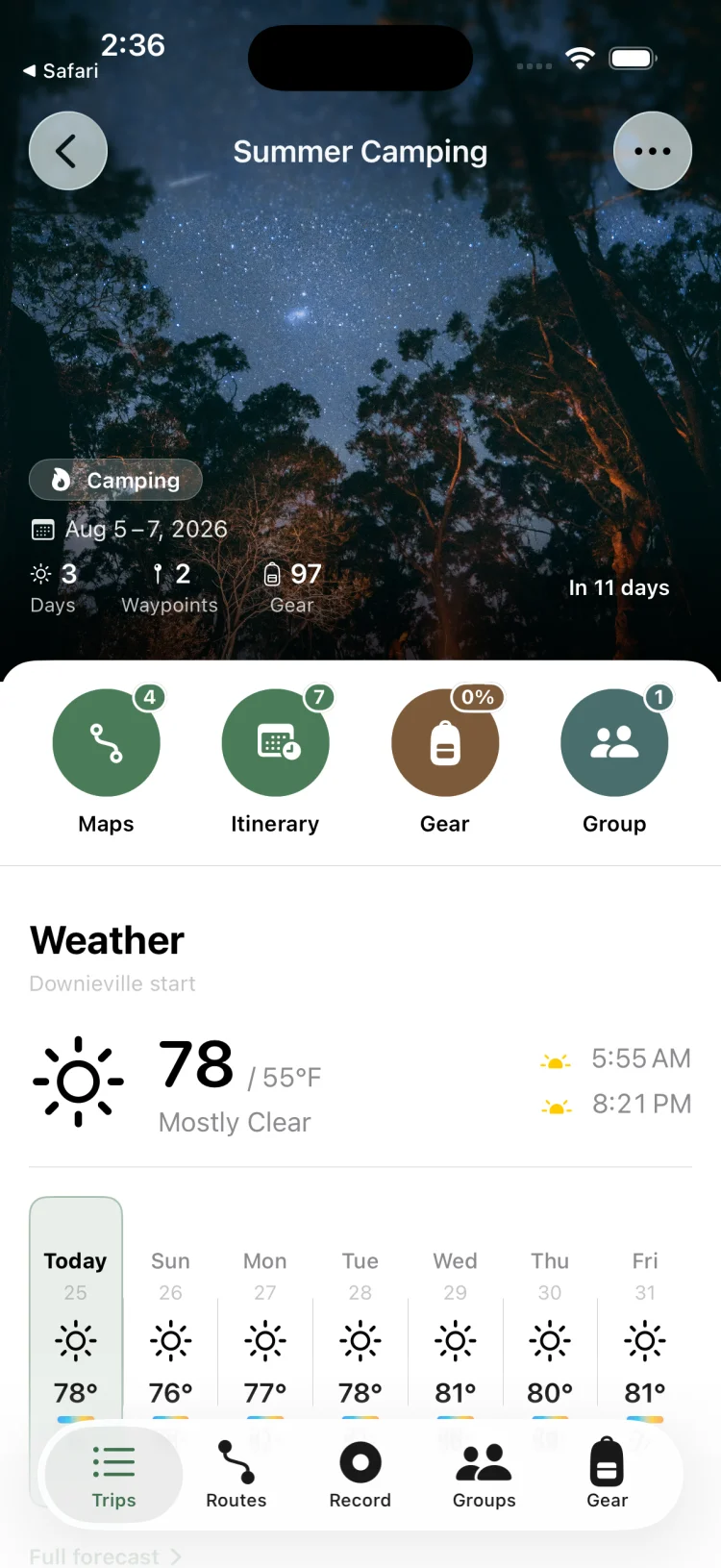
GoVenture trip detail screen with shortcuts to maps, itinerary, gear and group plus a seven day trailhead weather forecast and sunrise sunset times
Trip hub with live weather
GoVenture full screen trail map with an orange route line, campsite and water waypoints, and navigate and download buttons
Routes, waypoints, navigation
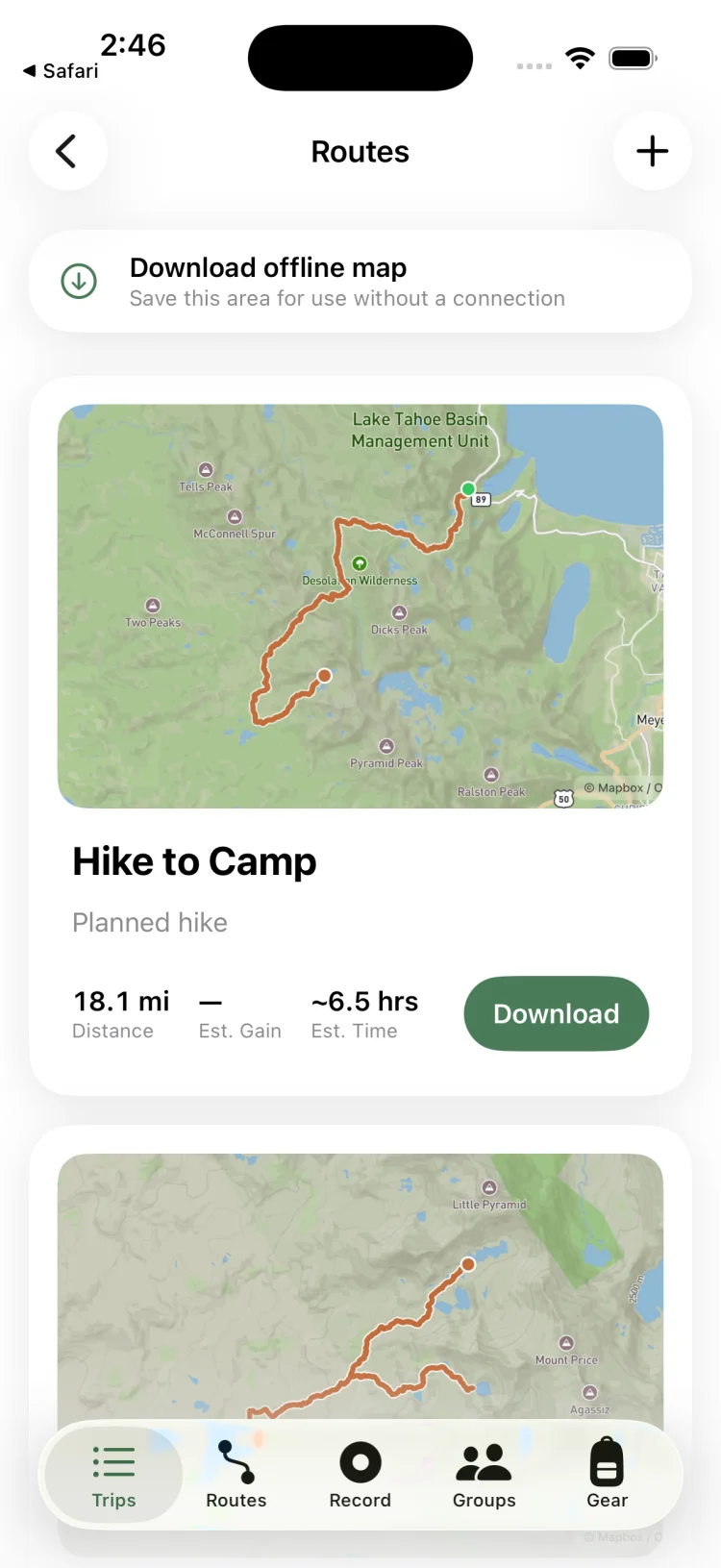
GoVenture routes list with offline map download option and route cards showing distance, elevation gain and estimated time
Offline map downloads
GoVenture itinerary showing day one and day two of a camping trip broken into morning and afternoon activities
Day-by-day itinerary
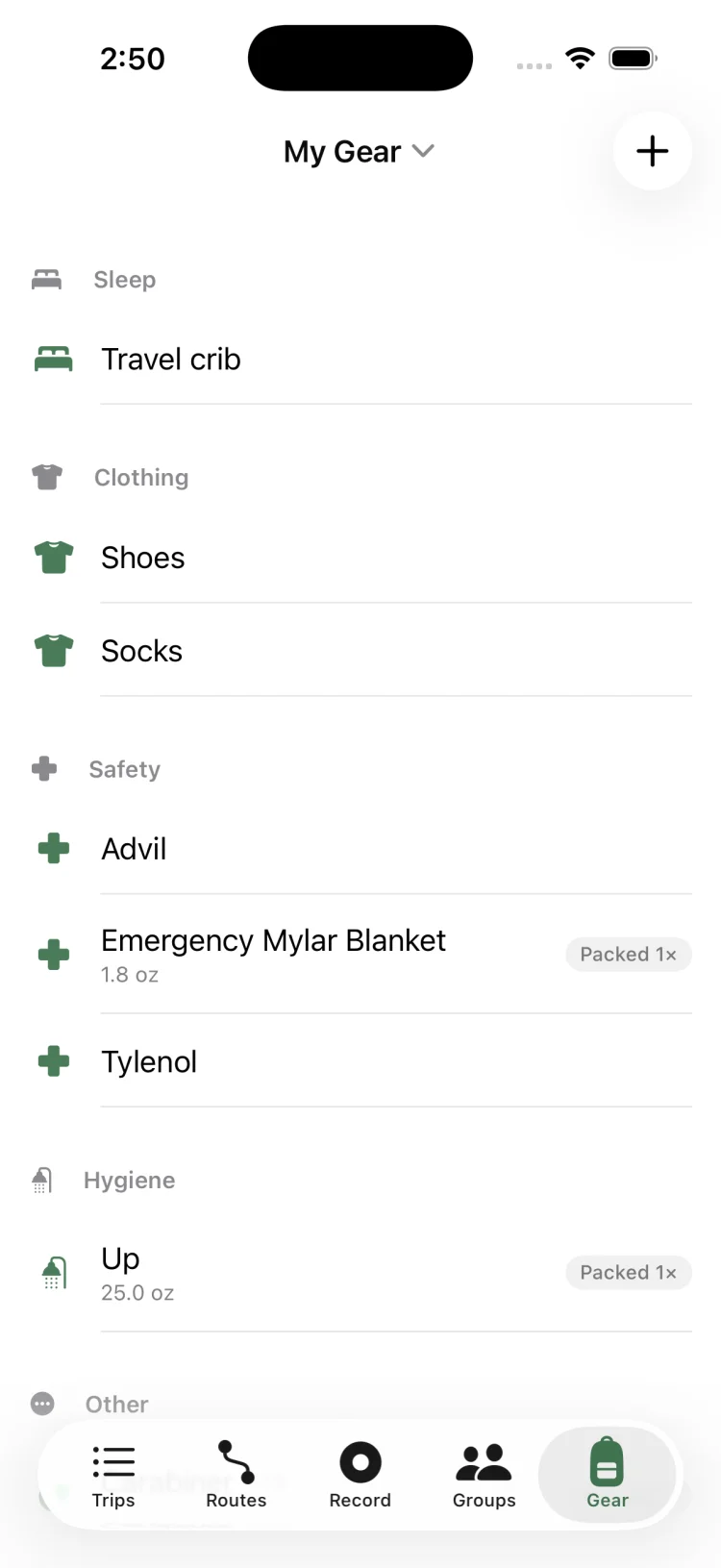
GoVenture My Gear inventory organised into sleep, clothing, safety and hygiene categories with item weights and packed labels
Your gear inventory
GoVenture Quick Kits with reusable packing lists and total pack weights for car camping, day hikes, bouldering and day rides
Reusable Quick Kits
GoVenture group gear assignment screen with progress bar, unassigned gear chips and member cards showing item count and carried weight
Group gear assignment
GoVenture profile screen with saved routes, offline maps and safety shortcuts plus a map of past trips
Routes, offline maps & safety

Who it's for

Built for people who plan.

Backpackers

Multi-day itineraries with campsite and water waypoints, base weight tracking, and permits kept with the trip.

Camping groups

One shared list, assigned item by item, so eight people arrive with one stove, one tarp and everything else covered.

Day hikers

A Quick Kit you reuse every weekend, the forecast at the trailhead, and one-tap recording when you set off.

Climbers & paddlers

Approach routes, rack and boat gear lists, put-in and take-out waypoints, and a trip plan filed before you go.

Guides

Trip planning guides.

Practical, no-fluff walkthroughs for the things people get stuck on — planning a first backpacking trip, cutting pack weight, dividing gear across a group, and getting maps that work with no signal.

Getting started

How to Plan a Backpacking Trip: A Step-by-Step Guide

Choose a route, work out daily mileage, sort permits, build the packing list and file a trip plan — the full sequence, in order.

Read the guide

Gear

The Complete Backpacking Gear List (and What to Leave Home)

A category-by-category checklist for a 2–3 night trip, with typical weights and the items most people carry for nothing.

Read the guide

Pack weight

What Is Base Weight? How to Calculate and Cut It

Base vs consumable vs total weight explained, realistic targets by hiker type, and where the easy kilos actually hide.

Read the guide

Group trips

How to Plan a Group Camping Trip Without the Chaos

Who brings what, how to split shared gear fairly, and how to stop the group chat from becoming the plan.

Read the guide

Navigation

Offline Maps for Hiking: Navigate With No Cell Service

Why your maps app fails in the backcountry, what to download before you leave, and how to save battery once you are out there.

Read the guide

Navigation

How to Open and Import a GPX File on iPhone

What a GPX file actually contains, how to get one onto your phone from email or Files, and how to turn it into a usable route.

Read the guide

Planning

How Many Miles a Day? Planning a Multi-Day Hike Itinerary

Realistic daily mileage by experience level, how to price in elevation with Naismith's rule, and how to build the day plan.

Read the guide

Safety

How to Leave a Hiking Trip Plan (Float Plan) With Someone

Exactly what to include, who to give it to, when they should call for help — and a template you can copy.

Read the guide

Camping

Car Camping Checklist: The Weekend Packing List

A complete, printable-style list for a two-night car camping trip, plus the ten things people always forget.

Read the guide

Recording

How to Track a Hike With Your iPhone (Without Killing the Battery)

GPS accuracy in the mountains, background tracking, battery settings that actually help, and syncing with Apple Health.

Read the guide

Comparison

The Best Trip Planning App for Hiking: An Honest Comparison

AllTrails, Gaia GPS, onX, Strava and GoVenture compared by what they are genuinely built for — and which to use when.

Read the guide

FAQ

Questions people actually ask.

What is the best app for planning a backpacking trip? +

The best backpacking trip planner is the one that handles the logistics, not just the trail. Discovery apps are excellent at answering "where should I hike" and stop there. A trip needs a route and a schedule, a packing list with weights, a division of shared gear, permits and a plan somebody at home can act on.

GoVenture keeps all of that on a single trip so your route, itinerary, gear list and group are one object rather than five apps and a group chat.

Read the full backpacking planning guide →

How do I share a packing list with my group for a camping trip? +

Create a shared gear list on the trip, invite your group with a link, then assign each item to a specific person. Everyone sees the same list in real time and ticks items off as they pack. A progress bar shows how much of the group's gear is claimed and what is still unassigned.

This is the fix for the oldest problem in group camping: arriving at the trailhead with three stoves, two tarps and no fuel.

Read the group camping planning guide →

Does GoVenture work without cell service? +

Yes. Download an offline map region covering your trip area before you leave and the map tiles are stored on the device. Your routes, waypoints, itinerary and gear lists are stored locally too, so the whole trip is readable with zero bars.

Anything cloud-dependent — syncing changes to the group, refreshing the forecast — catches up automatically once you are back in service.

Read the offline maps guide →

What is base weight in backpacking and how do I calculate it? +

Base weight is everything in your pack except consumables — food, water and fuel — and except what you are wearing or carrying on your body. It is the number the backpacking world uses to compare setups, because consumables change with trip length while base weight does not.

In GoVenture you enter each item's weight once, tick "worn" where it applies and flag consumables. Base weight, consumable weight and total pack weight update live as you build the list.

Read the base weight guide →

Can I import a GPX file into GoVenture on my iPhone? +

Yes. GoVenture reads GPX track points, named waypoints and elevation data. Open a GPX from Files, Mail, or a download link, preview it on the map, then save it as a route on a trip — bringing any waypoints in the file along with it.

Useful for routes shared by a ranger station, a guidebook site, a trail association, or a friend who planned the trip somewhere else.

Read the GPX import guide →

Is GoVenture a good alternative to AllTrails? +

They solve different problems, and it is worth being honest about that. AllTrails is a trail database with reviews and photos — it is very good at helping you choose where to go. GoVenture is a planning and logistics tool for the trip you build around that choice: multi-day itineraries, permits, gear lists with weights, group assignments and a trip plan for someone at home.

Plenty of people use a discovery app to pick the trail and GoVenture to actually run the trip.

Read the full app comparison →

How many miles a day should I plan for a backpacking trip? +

As a starting point: 5–8 miles a day for beginners on maintained trail, 10–14 for experienced hikers with a light-ish load, and add roughly an hour for every 2,000 ft of elevation gain. Off-trail, snow, river crossings and heavy packs all push those numbers down hard.

GoVenture estimates duration per route from distance, elevation gain and an activity-specific pace, so you can see whether a day is realistic before you commit your group to it.

Read the daily mileage guide →

How do I track a hike with my iPhone? +

Open the Record tab, pick your activity from 20 options, and tap start. GoVenture tracks distance, elapsed time and elevation gain in the background, shows GPS signal quality so you know whether the track can be trusted, and lets you pause and resume for breaks.

You can follow a planned route as a guide, write the workout to Apple Health, or import hikes already recorded on an Apple Watch.

Read the GPS tracking guide →

Is GoVenture free? +

GoVenture is free to download and there is no limit on the number of trips you can plan. Trips, day-by-day itineraries, waypoints, group gear assignment and GPS recording are all free. GoVenture Pro unlocks route drawing, unlimited gear lists, offline map downloads and additional map styles.

No ads, and no social feed you have to scroll past to get to your trip.

Download GoVenture →

What outdoor activities does GoVenture support? +

Seventeen trip types: day hiking, backpacking, camping, climbing, mountaineering, mountain biking, kayaking, rafting, surfing, skiing, snowshoeing, trail running, fishing, hunting, overlanding, road trips and a custom option. Each loads a starter gear template matched to the activity.

For recording there are 20 activities across on-foot, bike, water and winter categories, each with its own pace profile for duration estimates.

See the car camping checklist →

Plan smarter.
Adventure further.

Get your next trip out of the group chat and into one place. Free on iPhone and iPad.