Fifteen minutes into a code, the team leader asks: "When was the last dose?" The compressor does not know. The person running the IV does not know. The recorder is flipping back through paper notes trying to find the timestamp. Somebody says "maybe four minutes ago?" The leader decides to give another dose now, but nobody is sure whether this is dose number four or dose number five, and the documentation will later reflect a guess.
The short version
A repeating medication interval runs on a different clock from the compression cycle and has no natural cue. Assign it to one person — usually the recorder or timekeeper — who configures a repeating interval alert to match your protocol, calls it out loud when it fires, and records every administration with a timestamp. This workflow is easiest to learn during practice sessions and mock codes before it is needed in a real event.
Why a second interval drifts in practice
On paper, tracking a repeating interval sounds straightforward. In practice, a second independent timer is one of the first things to slip, and the slippage is rarely noticed until someone asks about it mid-code. Here is why.
Two clocks running at once
The compression cycle timer has a natural cue: the pulse check at the end of each cycle. The medication interval timer has no cue except someone watching a separate timer. There is no built-in pause, no rhythm check, no handoff that naturally marks the medication clock. The two timers are independent and drift relative to each other. If the team is watching the compression cycle clock — which has an obvious cue — the medication interval gets lost.
No natural cue
Compressions have a rhythm. The metronome beats. The compressor switches out. The pulse check happens. All of these are cues that anchor the compression cycle in the room. A medication interval has none of that. It is just a number on a clock that somebody has to be watching. If that person looks away, gets pulled into a conversation, or is focused on something else, the interval elapses and nobody notices until the next time someone asks.
Interruptions and handoffs
A second wave of responders arrives mid-code. The initial timekeeper hands off to the official recorder. A procedure starts and the room goes quiet. The team leader steps out and someone else takes over. Each of these moments is an opportunity for the interval clock to be dropped. The person who was tracking it assumes the new person has it. The new person does not know there was a clock to pick up. The interval resets in someone's head, or it just stops being tracked at all.
The "did we already give one?" problem
Ten minutes into a code, the team leader asks if it is time for another dose. The person at the IV says "I gave one a few minutes ago." The recorder does not have a timestamp written down because the administration happened during a chaotic moment and nobody called it out. The leader is not sure whether "a few minutes" means two minutes or six minutes. This happens constantly, and it is not a training failure — it is a workflow failure. The interval and the documentation are in different places, managed by different people, and the connection between them is a verbal callout that may or may not have been heard.
Administrations given but not recorded
A medication goes in. The person administering it is focused on the line, the flush, and making sure it is in. They do not announce it because the room is loud. The recorder does not see it happen because they are looking at the airway. The administration happened, but there is no timestamp and no log entry. Later, when the record is written up, the count does not match the timestamps, and the documentation becomes an estimate.
Recording the first administration
Many institutions track time-to-first-administration as a quality metric during code reviews. It is defined as the elapsed time from the start of the event to the first administration of a specific medication. The metric is only accurate if both timestamps — event start and first administration — are captured as they happen rather than estimated afterwards.
Why it is hard to reconstruct after the fact
If the event start time and the first administration timestamp are both captured as they happen, the metric is straightforward. If they are estimated afterwards, the number becomes fiction. The recorder remembers that compressions started "around 14:32" and the first administration happened "maybe three minutes later," so the record shows 14:35. The real interval might have been five minutes, but there is no way to know because the timestamps were guesses.
This is not a minor problem. Time-to-first metrics are used to benchmark team performance and identify workflow delays. If the timestamps are estimates, the metric is meaningless. Accurate documentation requires capturing the start time and the first administration time as they happen, which means someone needs to be running a clock from time zero and recording events in real time.
Counting versus timing
Tracking a repeating medication interval involves two related but distinct tasks: counting how many administrations have been given, and timing when the next interval elapses. Teams often confuse the two, and the confusion leads to missed intervals or bunched administrations.
Counting administrations
Counting is simple: every time an administration is recorded, the count increments by one. The count matters for the record and for the debrief, but the count alone does not tell you when the next interval elapses. A team might record three administrations in five minutes, or three over fifteen minutes. The count is a historical record, not a timing cue.
Timing the interval
Timing is the forward-looking task: based on the interval your protocol specifies, when should the next administration be considered? The timing helps the timekeeper call out when the interval has elapsed; the counting documents what was done.
A worked example: interval drift over 20 minutes
The table below shows two scenarios for a 20-minute resuscitation. In the left column, a medication is administered at a consistent interval. In the right column, the interval drifts due to interruptions, handoffs and missed cues. By the end, the left scenario has recorded six administrations; the right scenario has recorded four. Same duration, same intent, different execution.
| Elapsed Time | Consistent Interval | Drifted Interval (Realistic) |
|---|---|---|
| 0:00 | Code start, compressions begin | Code start, compressions begin |
| 1:00 | Administration #1 (1:00 elapsed) | Administration #1 (1:00 elapsed) |
| 4:30 | Administration #2 | (Missed — team leader talking) |
| 6:00 | Administration #2 (delayed) | |
| 8:00 | Administration #3 | |
| 10:30 | Administration #3 | |
| 11:30 | Administration #4 | |
| 15:00 | Administration #5 | (Missed — recorder handoff) |
| 17:00 | Administration #4 (delayed) | |
| 18:30 | Administration #6 | |
| 20:00 | Code ends: 6 administrations | Code ends: 4 administrations |
The right column is not an exaggeration. It is what happens when the interval is not explicitly owned by someone with a visible, repeating alert. The administrations are not skipped on purpose; they are skipped because nobody knew the interval had elapsed.
Who should own the interval clock
If nobody is assigned to track the medication interval, it will drift. The solution is to make it one person's explicit responsibility, usually the same person who is running the session clock and logging events. That person is typically the recorder, scribe, or designated timekeeper. See the code blue team roles guide for how this role fits into the broader team structure.
Calling it out loud
When the interval timer alerts, the timekeeper's job is to announce it to the team leader. Not to decide whether to administer — that decision belongs to the team leader — but to make sure the leader knows the interval has elapsed. A clear callout sounds like: "Interval elapsed," or "Timer alert," or a protocol-specific phrase the team has rehearsed. The team leader acknowledges it, makes a decision, and the timekeeper resets the timer or waits based on that decision.
Closed-loop communication
The callout should be acknowledged. The timekeeper calls "interval elapsed," the team leader responds with a decision or acknowledgment, and the timekeeper confirms. This closes the loop. If there is no acknowledgment, the timekeeper repeats the callout. This is not about being annoying; it is about making sure the information was received. A callout that is not acknowledged might as well not have happened.
Resetting the timer
If the team leader decides to proceed, the timekeeper records it, then resets the interval timer to start counting toward the next interval. If the leader decides to hold, the timer continues running or is paused, depending on the leader's direction. The key is that the timekeeper does not reset the timer until the decision is made and communicated.
Configuring the interval alert
The interval alert needs to meet three requirements: it needs to be set to the interval your protocol specifies, it needs to be audible or noticeable enough that the timekeeper hears it, and it needs to repeat until acknowledged so it is not missed if it fires during a loud moment.
Configuring the interval
Different institutions use different intervals for different medications. The timer needs to be adjustable so it can match your protocol. The interval is determined by your protocol and the team leader's direction, not by the app. The timer is a tool; the interval is a clinical decision made by your team.
Making it audible
The alert should be loud enough to be heard in a crowded code room, but not so disruptive that it derails the team. An audible tone works well if the room is reasonably quiet. If the room is chaotic or if audio is not appropriate — for example, in a public area or a shared space — haptic alerts (vibration) provide a noticeable cue without adding noise. The important thing is that the timekeeper notices when it fires.
Repeating until acknowledged
A single-fire alert that goes off once and then stops is easy to miss. The timekeeper might be looking at the airway, talking to the team leader, or logging a rhythm change when the alert sounds. A repeating alert keeps firing every few seconds until someone taps it to acknowledge. This is especially important in a high-tempo code where the timekeeper is juggling multiple tasks.
Tracking a medication interval in MedCode
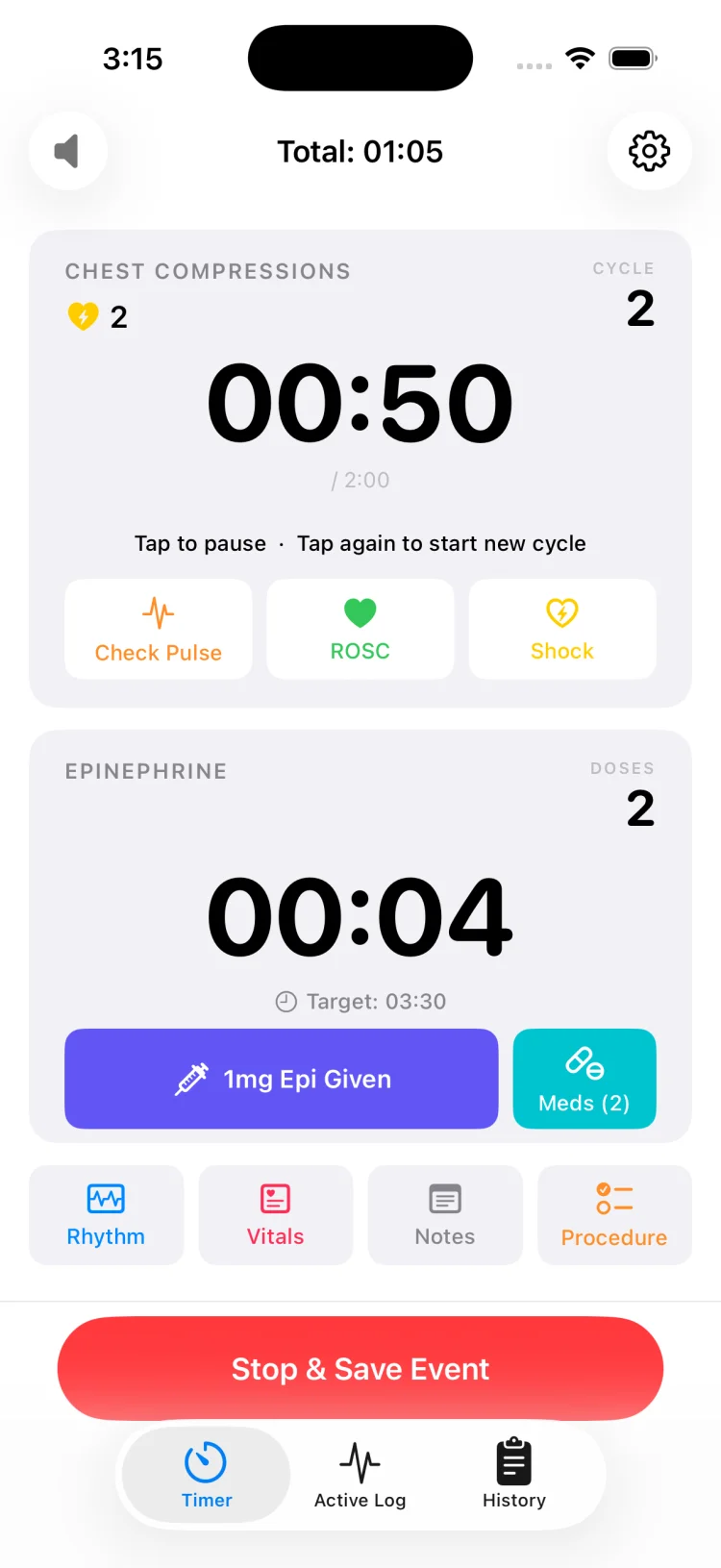
Configure the medication interval timer to match your protocol, and let it run alongside the compression cycle timer:
- Before the code starts, configure the medication interval timer to the value your protocol specifies. MedCode allows any interval from 0:00 to 10:45 in 15-second steps.
- When the code starts, both the compression cycle timer and the medication interval timer begin running. Both are visible on the main screen.
- When the medication interval elapses, the alert fires and repeats until you acknowledge it. Announce it to the team leader.
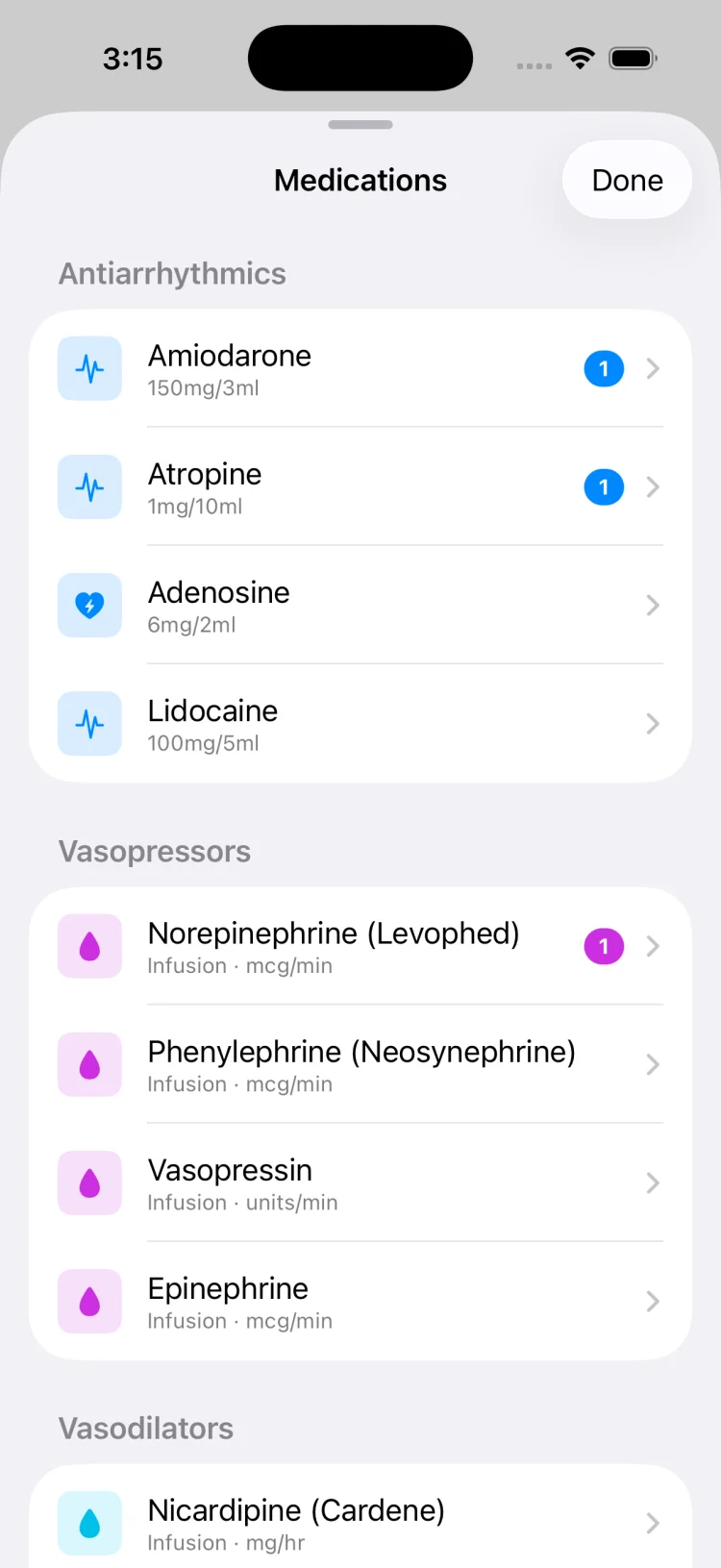
- If the leader decides to administer, tap to record it from the medication list. MedCode timestamps it with both clock time and elapsed time.
- Reset the medication timer to start counting toward the next interval. The compression timer continues running independently.
Recording each administration
Every medication administration should be recorded with a timestamp. This documentation serves three purposes: it creates an audit trail for the medical record, it prevents the "did we already give one?" problem during the code, and it provides accurate data for quality review afterwards. See the code blue documentation guide for the full documentation workflow.
What to record for each administration
At minimum, the record should include:
- Clock time: The wall-clock time when the administration occurred, for example 14:42.
- Elapsed time: The time offset from the start of the event, for example 8:30 elapsed.
- What was given: The medication name and amount, as determined by the team.
- Route: The administration route, and which line if there are multiple.
Recording in real time versus reconstructing later
If the administration is recorded as it happens — the timekeeper taps an entry the moment it occurs — the timestamp is accurate. If it is recorded five minutes later, or written up at the end of the code from memory, the timestamp is a guess. Real-time recording is not always easy, especially in a chaotic code, but it is the only way to get accurate documentation.
Quick-tap recording
Recording should be fast enough that it does not pull the recorder's attention away from the room for more than a second. Quick-tap entries make this possible. The faster the log entry, the less likely it is to be skipped or delayed.
This article is not medical advice
MedCode is a timer and documentation tool. It does not recommend medications, doses or intervals. The medication interval alert is configured by the user based on their local protocol and the team leader's direction. MedCode does not decide when to administer medications, what to give, or what interval to use. Every clinical decision is made by the team following current resuscitation guidelines and local protocol.
This article describes a software feature for tracking and recording repeating intervals during practice and training. It is not clinical instruction. Always follow your institution's protocol and current resuscitation guidelines. Consult your medical director, protocol committee or local guidelines for specific medication and timing recommendations. MedCode is not a medical device and is not intended for diagnosis or treatment.
MedCode is a practice and training tool. It is not a medical device, not clinical decision support, and not a substitute for your institution's required documentation or protocol. Any use during a real event is the individual clinician's own professional judgement.
Frequently asked questions
Why is a second repeating interval hard to track while a first one is running?
The compression cycle has a natural cue when you stop for a pulse check. A medication interval has no cue except someone watching a separate timer. The two clocks drift independently, and if nobody is explicitly assigned to track the second interval it gets lost in the noise of the room. Handoffs, interruptions and chaotic arrival sequences make it worse. The interval is easy to miss and hard to reconstruct afterwards.
How do teams assign ownership of the interval timer during practice?
Assign the interval timer to a specific person — usually the recorder or timekeeper — who will watch the clock and call it out loud when the interval elapses. During practice sessions, teams rehearse the callout, the acknowledgment, and the reset workflow so everyone knows who owns the timer and when to speak up. This workflow is easiest to learn in a mock code before it is needed in a real event.
What interval should the timer be set to?
The interval is determined by your institutional protocol and the team leader's direction, not by the app. MedCode allows you to configure the timer to any interval your protocol specifies. The app runs the clock and records when the user logs each administration; it does not recommend or decide what interval to use.
Does MedCode decide when to give medications?
No. MedCode is a timer and documentation tool, not clinical decision support. It does not recommend when to administer medications or what interval to use. The interval alert is configured by the user based on their local protocol and the team leader's direction. MedCode runs the clock and timestamps each administration when the team decides to give it. Every clinical decision stays with the team, following current resuscitation guidelines and local protocol.