During a mock code or practice session, eight people show up. Three of them gravitate to the airway. Two more start compressions simultaneously. The person who drew up the simulated epinephrine is waiting for an order that was already called. The assigned team leader is placing a line and has not verbalized a decision in 90 seconds. Nobody is tracking elapsed time, and the facilitator has to stop the scenario to clarify who is doing what.
This is a coordination problem that training sessions are designed to reveal. Role clarity during practice helps teams identify where communication breaks down and where information gets lost. This guide describes role structures commonly used in simulation and training, recognizing that actual clinical assignments follow your institution's protocols and the judgment of trained professionals.
The short version
Practice sessions benefit from clear role assignments: a team leader who practices verbalizing decisions, compressors who rotate at intervals consistent with training protocols, someone managing the airway, someone on access and medications, and a recorder keeping the timeline. Role overlap during practice reveals coordination issues. Role gaps reveal where handoffs lose information. Assigning roles before the scenario starts helps teams practice communication and documentation under pressure.
Why role clarity matters during practice
Training scenarios with clear role assignments help teams identify coordination problems. A five-person practice group with defined roles often reveals communication patterns more clearly than a ten-person group where three people are assigned to compressions, two are drawing up the same medication, and nobody is tracking time. Role clarity during rehearsal helps identify issues before they occur in real situations.
The crowded-room problem
When roles are not assigned before a practice session, participants often gravitate to familiar tasks like compressions, airway management, or medication preparation. Meanwhile, nobody volunteers for documentation or timekeeping, and the assigned leader may position themselves inside the action rather than observing from outside. Training sessions reveal these patterns so teams can address them.
Diffusion of responsibility
In simulation scenarios where multiple people could perform the same task but nobody is explicitly assigned, participants often assume someone else will handle it. Explicit assignment during practice eliminates this ambiguity. When a facilitator says "Sarah, you have IV access for this scenario," Sarah knows she owns that role and other team members know not to duplicate the effort.
Closed-loop communication
Role clarity helps teams practice closed-loop communication. In training, the assigned leader might say "Give epinephrine," the medication person repeats back "Epinephrine, giving now," and the recorder logs it with the time. Practice sessions help teams rehearse this pattern so confirmations become routine. Without assigned roles during training, teams cannot identify where their communication breaks down.
Role structures commonly used in training scenarios
The role structure below is commonly used in mock codes and simulation training. It is not a prescription for how teams should be organized in practice, but rather a description of how roles are often assigned during educational sessions to help participants practice coordination, communication and documentation. Your institution's actual team structure and protocols may differ. Training sessions should follow the protocols and guidelines taught by your educators.
| Role | What this role practices | Communication examples | Common coordination issue revealed in training |
|---|---|---|---|
| Team Leader | Practices verbalizing decisions, delegating tasks and confirming actions | "Rhythm logged. Mark the time." "Access confirmed." | Assigned leader focuses on a single task instead of maintaining team oversight |
| Compressors (2-3 rotating) | Practices rotation technique at intervals specified by training protocol | "Ready to swap." "Compressions on." | Rotation not pre-briefed, long pause during handoff |
| Airway / Ventilation | Practices airway management techniques and verbalizing status | "Airway secured." "Ventilating." | Multiple people attempt to manage the airway simultaneously without coordination |
| Defibrillator Operator | Practices rhythm recognition, charging sequence and safety announcements | "Rhythm check." "Charging." "Everyone clear." | Safety confirmation step omitted during training scenario |
| Vascular Access | Practices access techniques and announces when access is established | "Access established." "Flushing." | Access status not communicated clearly, team unsure whether medications can be given |
| Medication Administrator | Practices drawing and confirming medications, announcing administration | "Epi in, mark the time." | Medication given before confirming the order or without announcing it |
| Recorder / Timekeeper | Documents every simulated event with timestamps, tracks elapsed time and intervals | "Event time now five minutes." "Last epi at 14:42." | Also assigned to perform compressions or procedures, timeline has gaps |
| Runner | Practices retrieving equipment and relaying information | "Bringing the ultrasound." "Results are available." | Leaves the scenario and team forgets what was requested |
| Family Liaison | Practices providing updates and facilitating communication in simulation | "The team is working now." "I will update you." | Role not assigned, family communication step omitted from scenario |
Some training scenarios include a pharmacist for medication calculations or a respiratory therapist for ventilator management. In smaller practice groups, the recorder and timekeeper may be the same person. In very small groups, some procedural roles may combine. The purpose of role assignment during training is to help teams identify which combinations work and which create gaps in communication or documentation.
The team leader role in training scenarios
In training scenarios, the assigned team leader practices standing back, verbalizing decisions and delegating tasks. This role is designed to help participants practice oversight and communication skills. How this role is structured in practice depends on your institution's protocols and the judgment of trained professionals.
Practicing oversight position
During simulation, the assigned leader often practices positioning themselves outside the immediate action, where they can observe the team and the scenario progression. This helps participants practice maintaining situational awareness while verbalizing decisions. Training scenarios help teams identify whether their assigned leader can maintain oversight or becomes focused on a single task.
Verbalizing decisions
Training scenarios help the assigned leader practice verbalizing next steps so the team can hear and confirm them. This communication practice helps teams identify where verbal orders get lost or where team members are working from different assumptions about the plan.
Practicing closed-loop communication
In simulation, teams practice confirmation patterns where the assigned leader makes a request, someone repeats it back to confirm they heard it correctly, and the recorder logs it with the time. Training sessions help teams identify where this loop breaks down and where confirmations are skipped.
Avoiding task fixation during practice
Training scenarios sometimes reveal that the assigned leader focuses on a single procedure instead of maintaining team oversight. This is a coordination issue that practice sessions are designed to identify. Recognizing this pattern during training helps teams address it before it affects real situations.
The recorder and timekeeper role
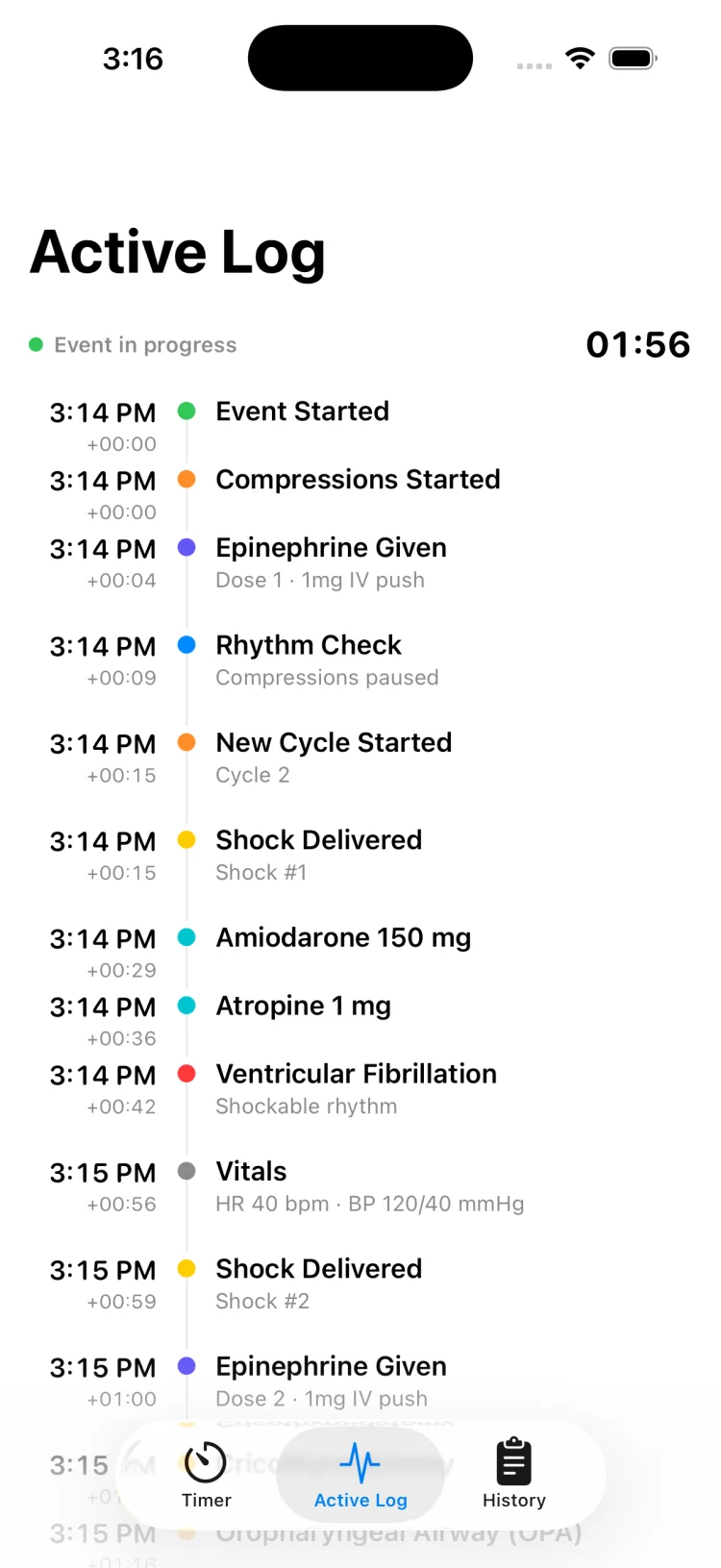
In training scenarios, the recorder and timekeeper are often the same person. This role practices documenting simulated interventions and tracking elapsed time. During practice sessions, recording events as they happen makes it possible to review timing during the debrief. The recorder role is designed to help teams understand what gets documented in real time and what information is lost when documentation happens later.
What the recorder practices
The assigned recorder practices maintaining a clear line of sight to the assigned leader, the simulated monitor display and other team members. They practice hearing and documenting every announced action. During training, the recorder learns whether they can maintain documentation while also performing other tasks, or whether combining roles creates gaps in the timeline.
Maintaining the timeline during practice
During simulation, the recorder practices timestamping every intervention: medications, shocks, rhythm changes, procedures, vitals. Recording in real time during practice makes it possible to review actual intervals during the debrief. Recording things later from memory is less accurate and makes it harder to identify timing patterns.
Tracking intervals during training
The timekeeper role in simulation involves tracking elapsed time and intervals between events. Some training scenarios have the timekeeper announce interval information to help the assigned leader with timing decisions. The effectiveness of this communication pattern can be reviewed during the debrief.
Why this role often does not combine well with procedures during practice
Training sessions often reveal that a recorder who is also assigned to perform procedures will have gaps in their timeline. When the same person is trying to document and place IV access or perform compressions, one of those tasks suffers. Practice sessions help teams identify which role combinations work and which create documentation gaps that would be problematic in real situations.
Using MedCode during practice sessions
MedCode helps the assigned recorder practice documentation during mock codes and training scenarios:
- Tap Start Event when the practice scenario begins. The session clock and timers start running.
- Two independent count-up timers stay visible on the main screen for tracking compression cycles and epinephrine intervals at whatever cadence your training protocol specifies.
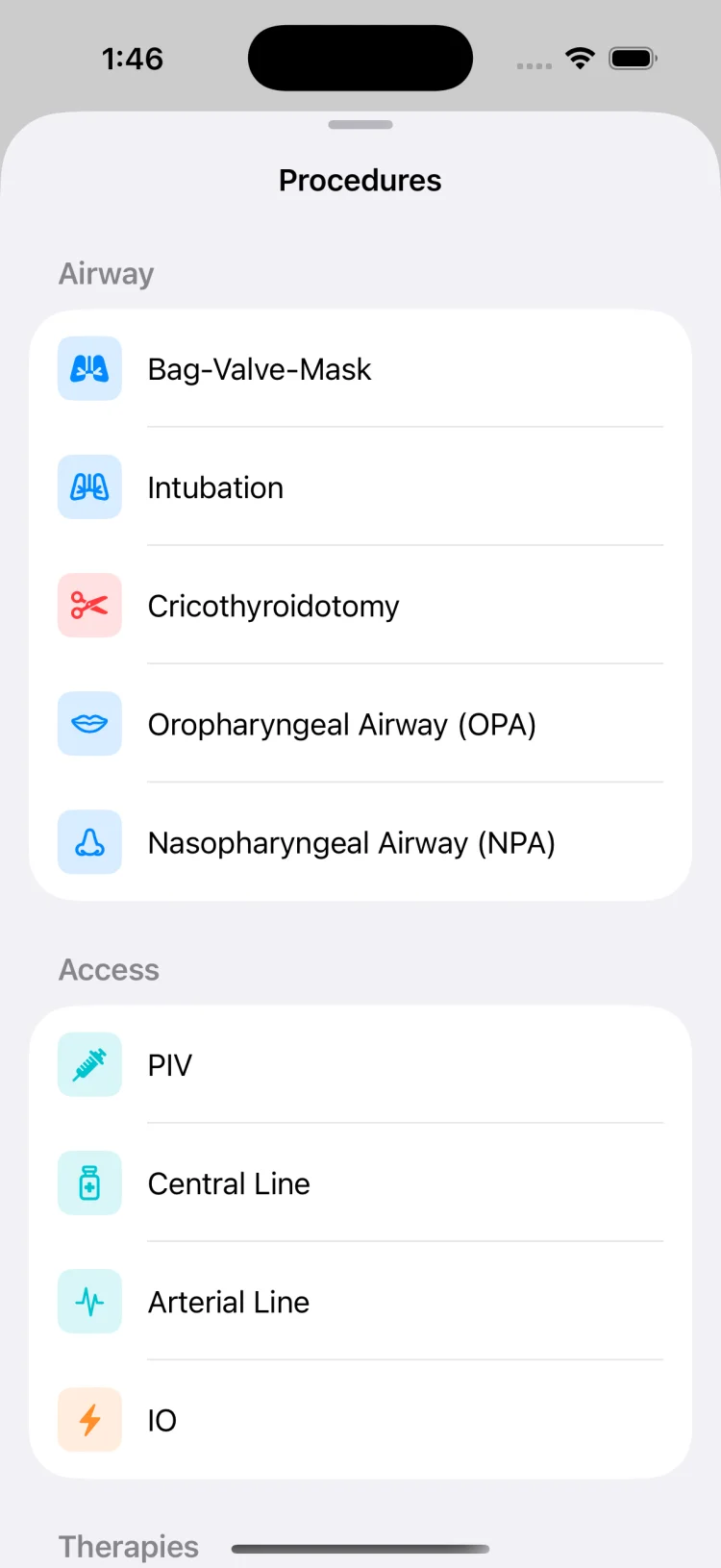
- Tap to log simulated medications, shocks, rhythms, vitals and procedures. Every entry is timestamped automatically.
- During the scenario, scroll the live timeline to see what has been logged and when.
- After the practice session ends, review the timeline with the team during debrief, or export it as a PDF to discuss timing patterns.
Compressor rotation during practice
During training scenarios, teams practice compressor rotation at intervals consistent with their training protocol. The specific rotation cadence depends on the guidelines your educators teach and the protocols your institution follows. Practice sessions help teams rehearse the handoff so transitions are smooth and well-communicated.
Why rotation intervals matter during training
Training scenarios often include compressor rotation timed with simulated rhythm checks. Practicing rotation helps teams identify how long their handoffs take and whether the incoming compressor is ready when the swap happens. The specific intervals used during your practice session should follow the protocol taught by your educators.
Practicing the handoff announcement
During simulation, teams practice announcing the handoff before it occurs. The outgoing compressor might say "Ready to swap" and the incoming compressor confirms they are in position. Practicing this announcement pattern during training helps teams identify whether their communication is clear and whether everyone understands who is taking over.
Minimizing pause duration during practice
Training scenarios help teams practice minimizing pause duration during compressor swaps. The incoming compressor practices positioning themselves and preparing to start immediately when cued. Reviewing pause duration during the debrief helps teams identify whether their handoffs are taking longer than intended.
Determining how many compressors to assign during training
Practice scenarios typically assign at least two people to rotate through compressions. The number assigned depends on the size of the practice group and the duration of the scenario. Training sessions help teams identify whether they have too many people assigned to compressions while other roles go unfilled, or too few to maintain rotation.
Airway, access and medication roles during training
These three roles practice procedural tasks during simulation scenarios. In training, each is typically assigned to a single person or a clearly defined pair. Practice sessions help teams identify where role overlap creates confusion and where role gaps create communication delays.
Airway and ventilation
During training, one person is typically assigned to manage the airway from the start. This role practices calling out actions clearly so the team and recorder know what is happening. Example call-outs during simulation might include: "Airway secured." "Ventilating." "Attempting advanced airway, holding compressions."
Training scenarios sometimes reveal coordination issues when multiple people position themselves at the airway without clear assignment. In simulation, this might mean several participants attempting different approaches simultaneously while ventilations are inconsistent and nobody is clearly accountable. Practice sessions help teams identify this pattern so role clarity can be established before a real event occurs.
Vascular access
In training scenarios, one person is assigned to the vascular access role. This role practices announcing when access is established so the team knows medications can be administered and the recorder can timestamp the event. Example call-outs during simulation might include: "Access established." "Flushing now."
Practice sessions sometimes reveal timing patterns in the recorded timeline. For example, a debrief might show a significant gap between event start and the timestamp when access was first secured. Reviewing these intervals during the debrief helps teams understand how long certain steps took during the simulation, though the specific approach to access in real situations is determined by trained professionals following their institutional protocols.
Medication administration
During simulation, the medication administrator role practices drawing and confirming simulated medications, then announcing administration clearly. Example call-out: "Epi in, mark the time." This confirmation helps the recorder timestamp the entry and helps the team practice closed-loop communication.
Training scenarios sometimes reveal coordination issues: a medication given before the order was clearly confirmed, or two people independently preparing the same simulated medication without realizing it. Practice sessions help teams identify where communication breaks down and where role clarity would prevent duplication or confusion. These patterns can be addressed during the debrief.
Where handoffs go wrong during training
Handoffs are high-risk moments in any scenario. During training, simulated handoff situations help teams identify where information gets lost, where roles become unclear, and where continuity breaks. Common handoff scenarios practiced during simulation include team arrival, patient movement, and shift change.
Simulated arrival of the code team
In training scenarios that simulate a code team arriving after first responders have started, participants practice identifying who is in charge, who is performing each role, and who maintains the timeline. If the simulated handoff is not explicit, training may reveal that two people attempt to lead, or the initial responder steps back and nobody takes over. Practice sessions help teams rehearse handoff announcements and role confirmations.
Practicing the transition from first responders
During simulation, teams practice summarizing the scenario status during handoffs: what has happened so far, what interventions have been performed, and what the current state is. Training helps teams identify how much information is retained or lost during these transitions, and whether the incoming team understands the timeline. Reviewing the recorded timeline during debrief shows what information was successfully communicated.
Simulated patient movement
Some training scenarios include simulated patient repositioning. These practice situations help teams identify coordination issues that arise during movement: pause duration, role continuity, and communication clarity. The recorder practices documenting any interruptions so the team can review pause timing during the debrief.
Simulated shift change mid-scenario
Training scenarios that simulate a shift change partway through help teams practice structured handoff summaries: scenario duration, interventions performed so far, and current status. Practice sessions help teams identify what information gets communicated clearly and what gets lost during the transition. Reviewing the recorded timeline during debrief shows whether the incoming team understood the full context.
Assigning roles before the practice session
For training scenarios, assigning roles before the scenario starts helps participants practice their assigned responsibilities and helps teams identify coordination issues more clearly. Teams that use pre-briefing or role cards for mock code drills often find that role definitions are clearer and coordination patterns are easier to observe.
Pre-briefing and role cards for training
Some training programs assign roles at the start of the practice session. "For this scenario, Alex is team leader, Jordan and Casey are compressors, Morgan has airway, Taylor has access and meds, and Sam is recorder." These assignments help ensure each role is covered during the scenario and help participants know which skills they are practicing.
Mock codes and simulation
Teams that run regular mock codes practice role assignment under pressure. The mock code is an opportunity to try different structures, identify gaps, and refine the process. For example, a mock code might reveal that the recorder is consistently getting pulled into doing compressions, or that the team leader is stepping in to perform procedures instead of delegating. These patterns can be identified during training and addressed in the debrief.
Adapting roles to team size during practice
Not every practice session has six or eight participants. In smaller training groups, roles combine. The defibrillator operator might also handle medications. The recorder might also act as runner. Training helps teams identify which role combinations work and which create gaps. For example, practice sessions often reveal that combining the recorder role with compression duty creates timeline gaps, while combining recorder and timekeeper responsibilities works well.
Larger training groups have the opposite challenge: many participants and limited distinct roles. One approach used in simulation is to assign primary and backup roles, so participants practice coordination and handoff without crowding a single task. This helps reveal what happens when too many people focus on one area while other roles go unfilled.
MedCode is a timer and documentation tool, not clinical decision support
MedCode does not assign roles, recommend team structure, or tell you who should do what during a resuscitation. Team composition and role assignments should follow your institution's protocol, your team leader's judgment, and current resuscitation guidelines. MedCode is a tool for the person in the recorder or timekeeper role to document what happens with timestamps.
MedCode is not a medical device and is not intended for diagnosis or treatment. It is a timer and event log that helps teams keep track of intervals and build a timestamped record. Always follow local protocol and the direction of your team leader.
MedCode is a practice and training tool. It is not a medical device, not clinical decision support, and not a substitute for your institution's required documentation or protocol. Any use during a real event is the individual clinician's own professional judgement.
Use MedCode for practice session documentation and timing
MedCode is an iPhone and Android timer and event log designed for the recorder and timekeeper role during training and practice. It provides two independent count-up timers on one screen, logs every simulated intervention with a timestamp, and exports a PDF timeline for review during the debrief. No cloud, no account, fully on-device.
Frequently asked questions
How many roles are typically assigned in a mock code or practice session?
Training scenarios commonly include six to eight assigned roles: team leader, two or three compressors who rotate, airway manager, defibrillator operator, access person, medication administrator, and recorder or timekeeper. Smaller practice groups combine roles. Very large groups may have too many people assigned to the same task while other roles go unfilled, so clear role assignment during practice helps identify coordination issues.
What does the recorder do during a practice session or mock code?
The recorder documents every simulated intervention with the time it occurred, including medications, shocks, rhythm changes, procedures and vitals. They also track elapsed time and intervals to help the team review timing afterward. During practice, the recorder focuses on maintaining the timeline rather than performing other roles, so the team can review timing data during the debrief.
Should the assigned team leader perform hands-on tasks during a training scenario?
In most training scenarios, the team leader is assigned to practice standing back and verbalizing decisions rather than performing hands-on tasks. This helps the assigned leader practice oversight and communication skills. Specific training approaches depend on the educational goals and the protocol taught by your institution or educators.
How often should compressors rotate during practice?
Rotation intervals during practice sessions are determined by the training protocol and educational objectives. Teams commonly practice rotation at regular intervals, often timed with simulated rhythm checks. The timing used in your practice session should follow the protocol taught by your educators and the guidelines your institution follows.